
What is Smart Vault?
Smart Vault is a backup monitoring and management system designed for administrators to monitor client backups, license usage, server health, and storage in real time through a web-based admin panel.
👥 Who Should Use This?
- • System Administrators
- • IT Support Teams
- • Backup & Server Monitoring Teams
- • Company Owners / Super Admins
⚡ Key Features
- ✓ Real-time backup monitoring
- ✓ Centralized license management
- ✓ Server health & storage tracking
- ✓ Client heartbeat monitoring
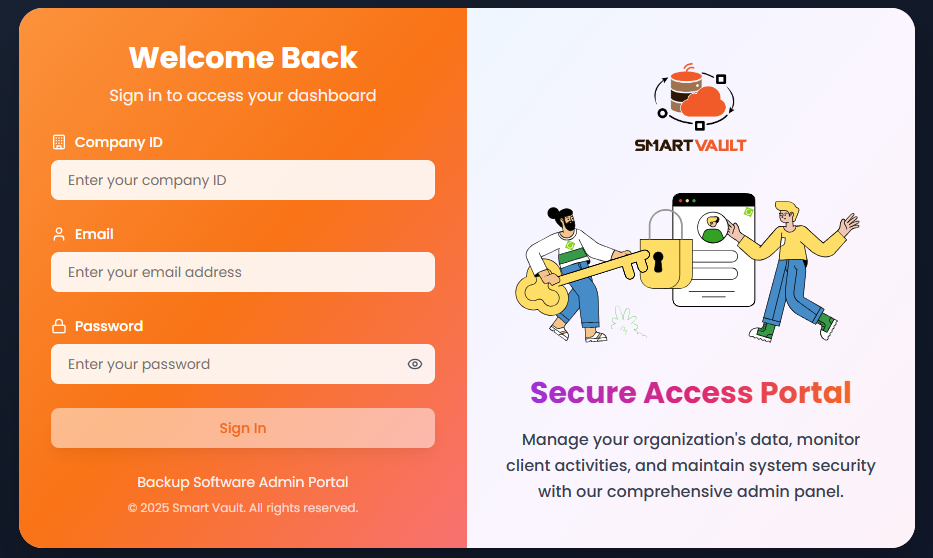
🔐 Login Page
Access Point
The Login page is the entry point to access the Smart Vault Admin Web Panel. Only authorized users can log in via https://svadmin.wizoneit.com/
Login Fields
Company ID
Unique ID assigned to your organization
Username / Email ID
Registered admin email or username
Password
Secure password provided by the system
After Login
Once login is successful, the system redirects you to the Dashboard page where you can access all monitoring and management features.
📈 Dashboard Overview
The Dashboard provides a centralized, real-time overview of the Smart Vault system.
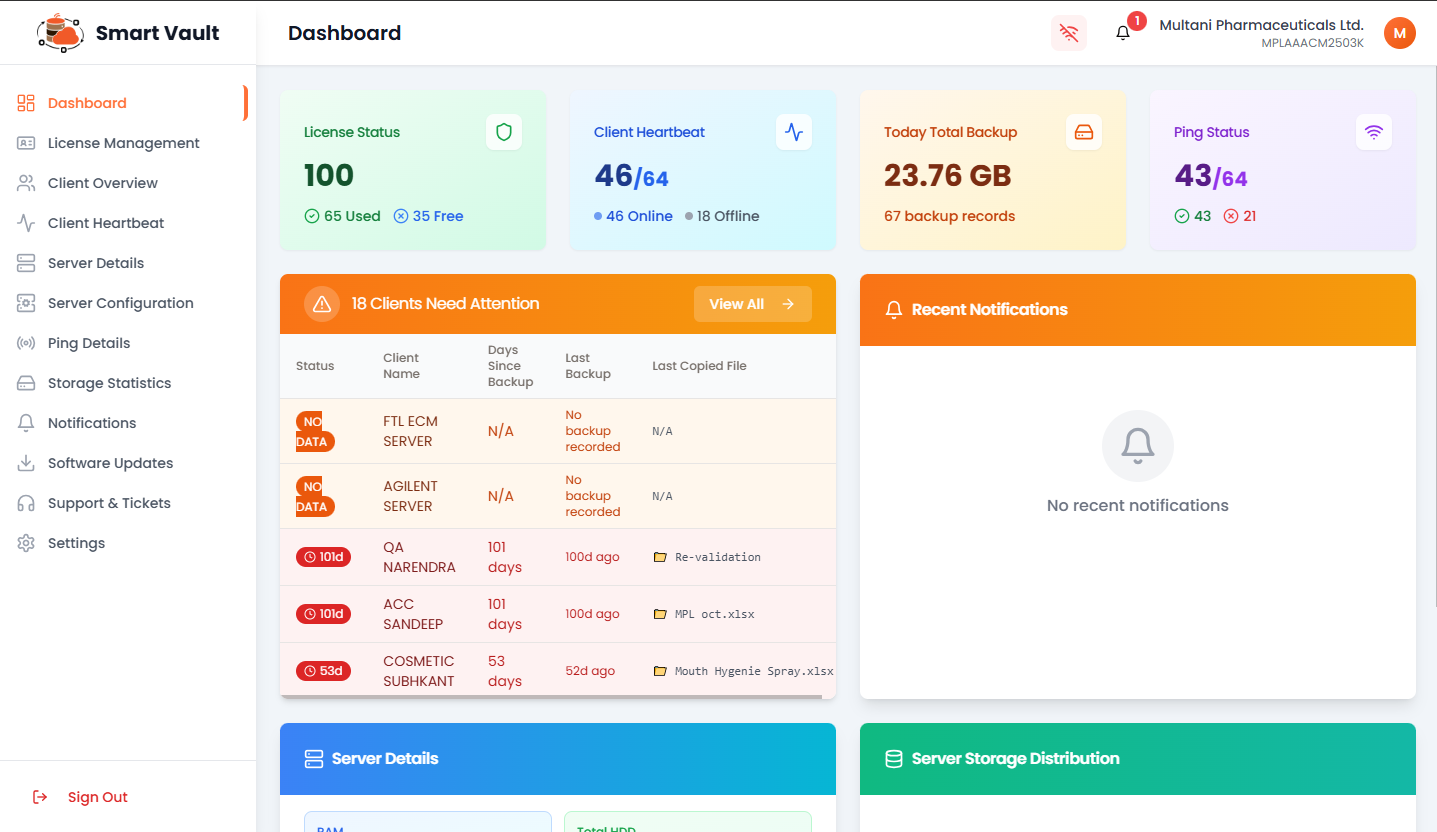
Dashboard Components
License Status
Displays total licenses, used licenses, and available licenses
Client Heartbeat
Real-time online and offline status of all client systems
Today Total Backup
Total data backed up today with backup count
Ping Status
Server connectivity through ping status monitoring
Clients Need Attention
Highlights clients with missing or failed backups
Recent Notifications
System alerts, warnings, and updates
Server Details
Server resource info like RAM, storage, IP address
Storage Distribution
Visual representation of used and available storage
🔑 License Management Module
The License Management module is used to monitor, manage, and control software licenses assigned to client systems.
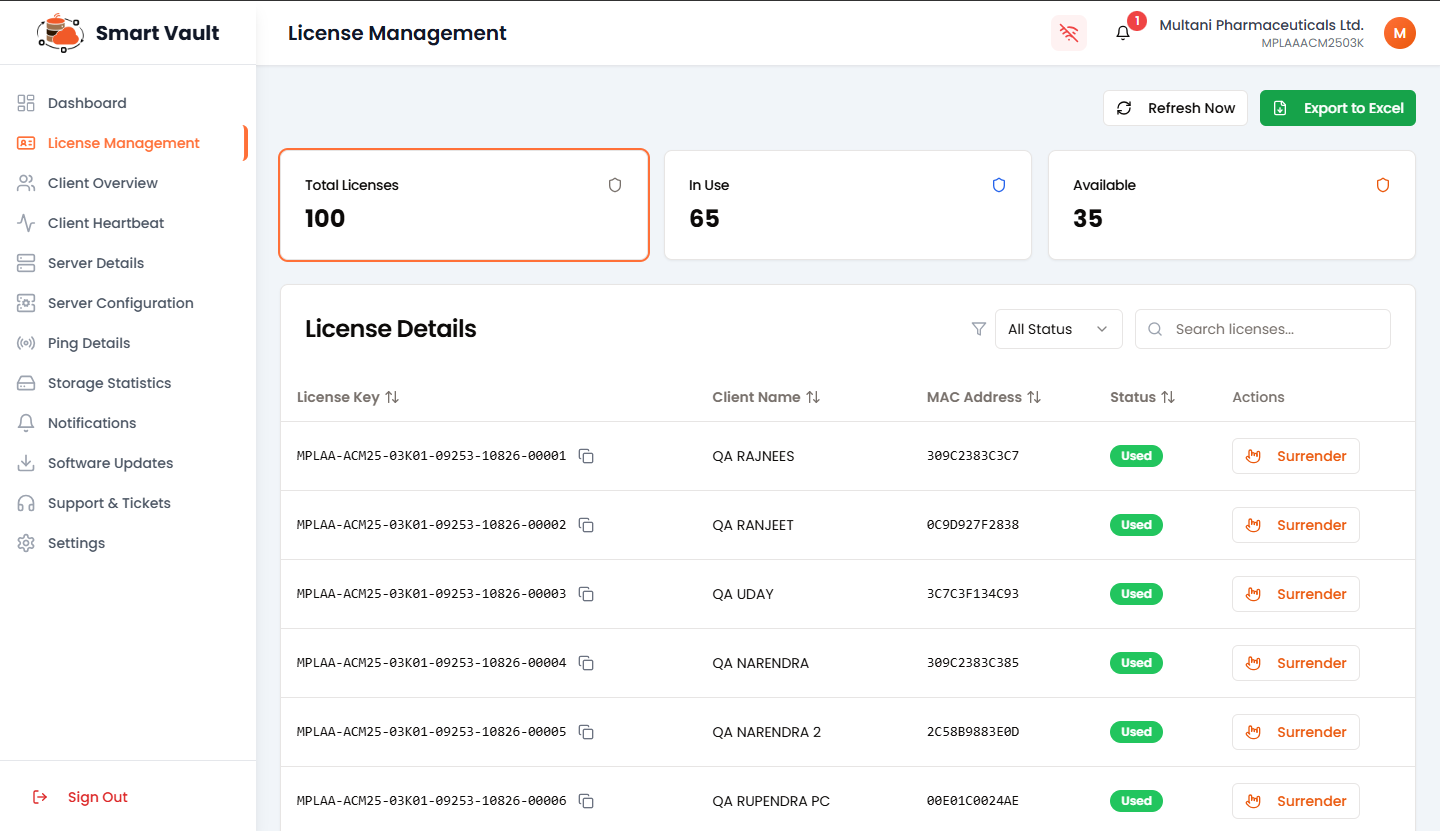
Total licenses issued to organization
Currently assigned and active licenses
Free licenses for new assignments
License Details Section
Displayed Information:
Filters & Actions
Filter by license status
Find by key or client name
Reload latest data
Generate reports
💻 Client Overview Module
Provides a centralized view of all registered client systems connected to Smart Vault.
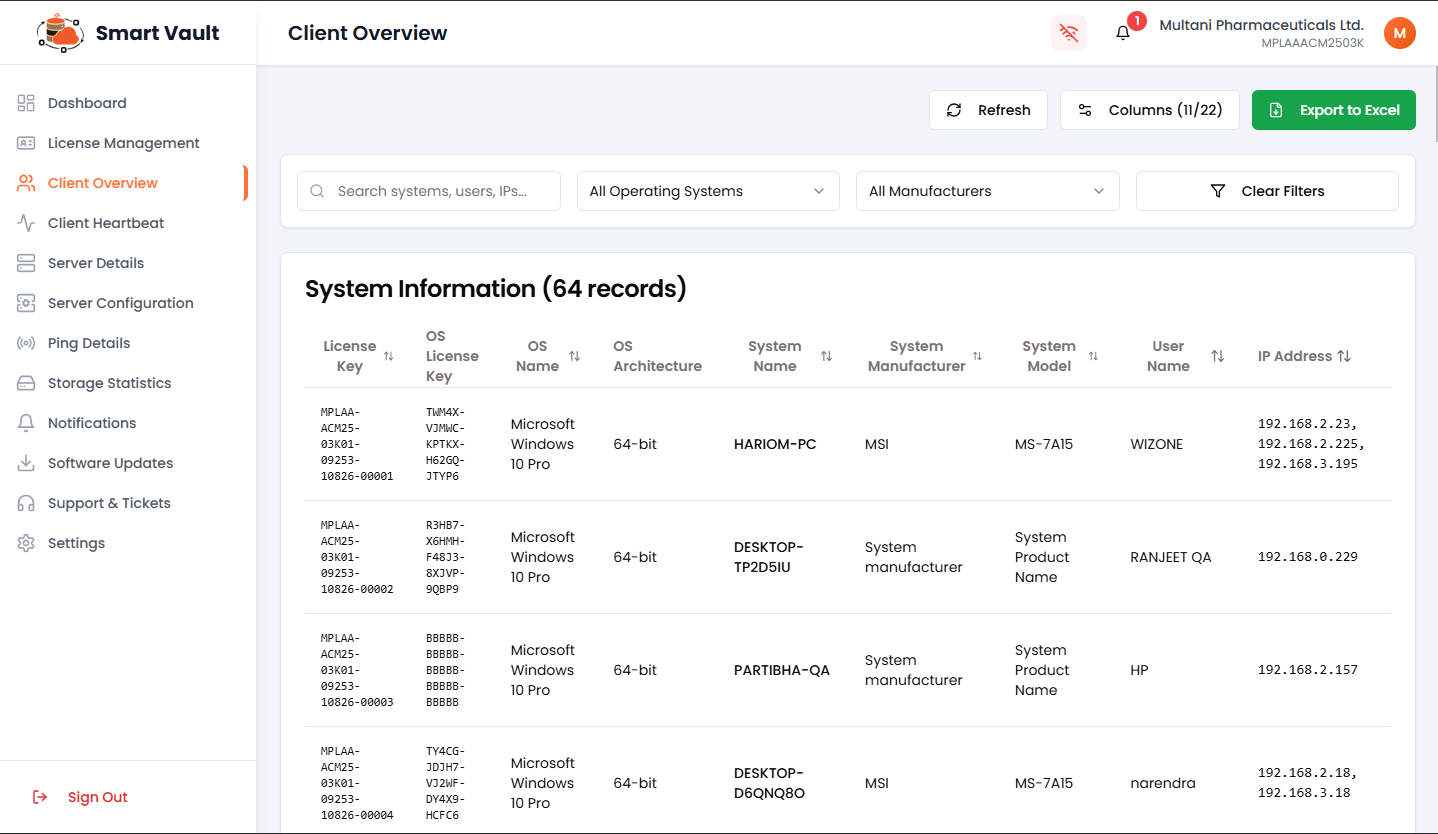
Key Features
💓 Client Heartbeat Module
Provides real-time monitoring of client system connectivity and activity.
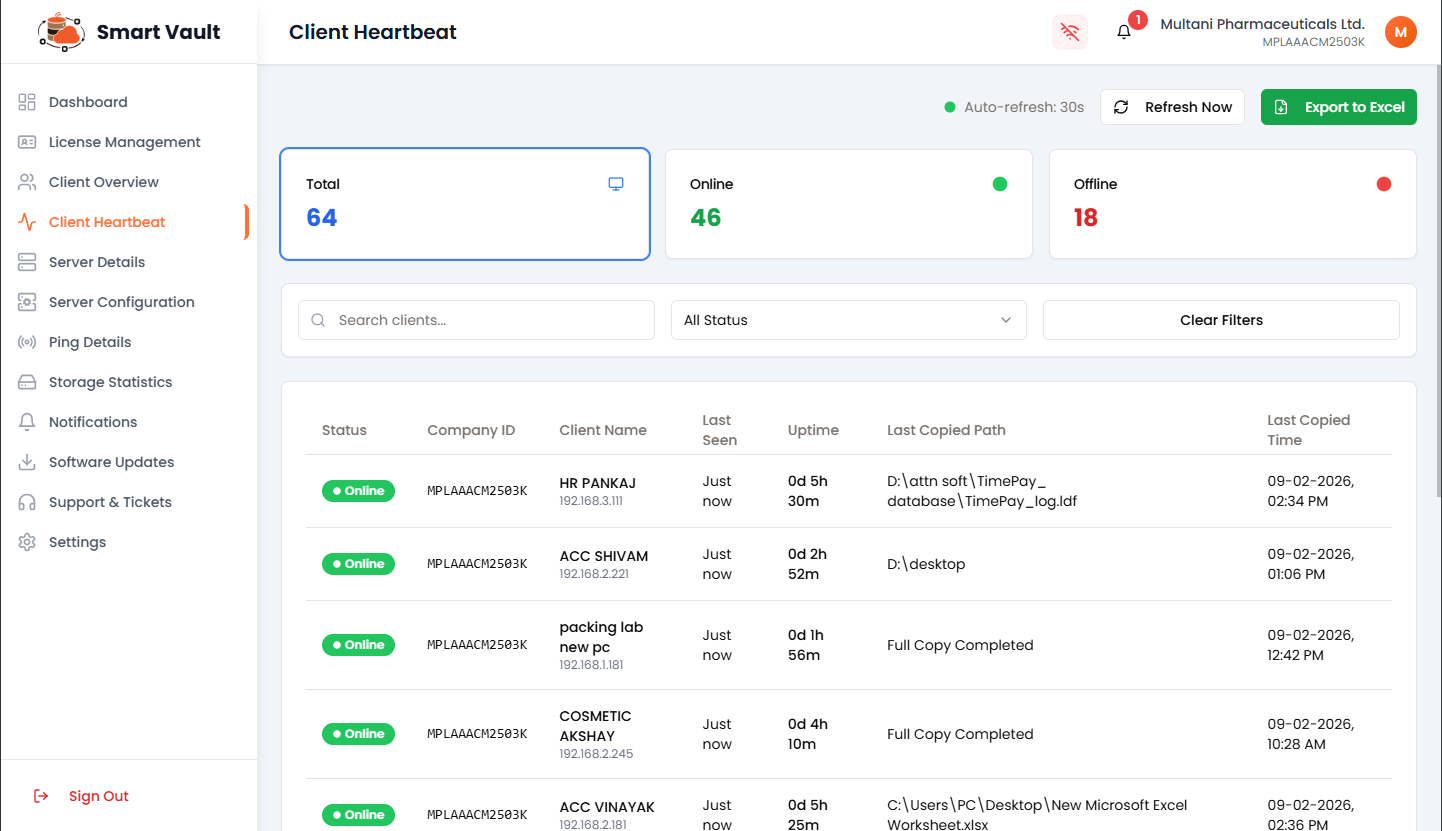
Key Features
Monitor all registered systems
Real-time active clients
Disconnected systems
Last activity timestamp
Application runtime status
Recent backup details
🖥️ Server Details Module
Provides a complete overview of backup server's system, hardware, network, and storage information.
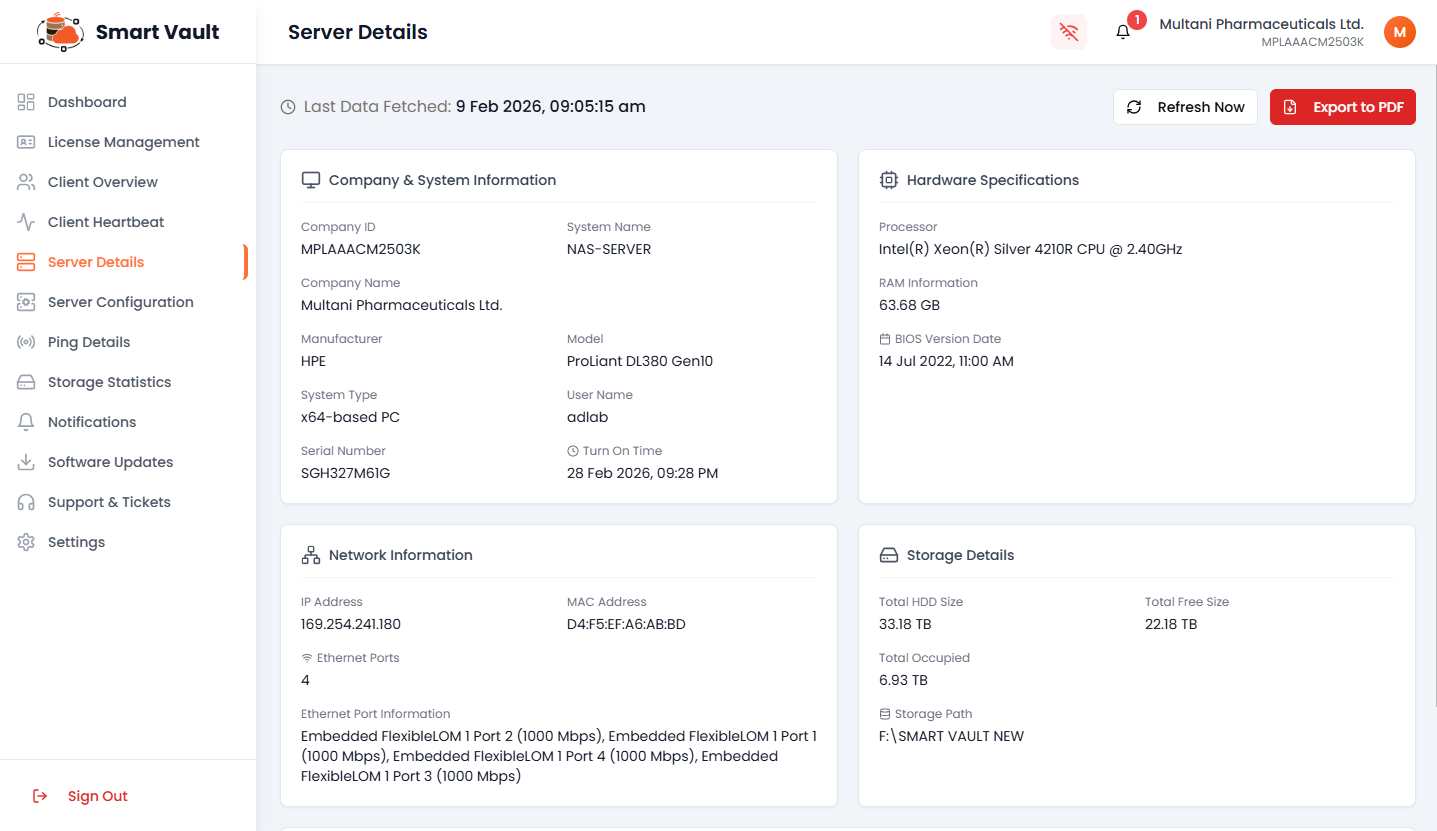
📋 System Information
- • Company and system details
- • Server name and manufacturer
- • Operating system information
⚙️ Hardware Specs
- • Processor specifications
- • RAM capacity and usage
- • BIOS details
🌐 Network Info
- • IP address configuration
- • MAC address details
- • Ethernet port status
💾 Storage Details
- • Total disk size and usage
- • Free space available
- • Storage path configuration
⚙️ Server Configuration Module
Used to set and manage server connection details and central backup storage path.
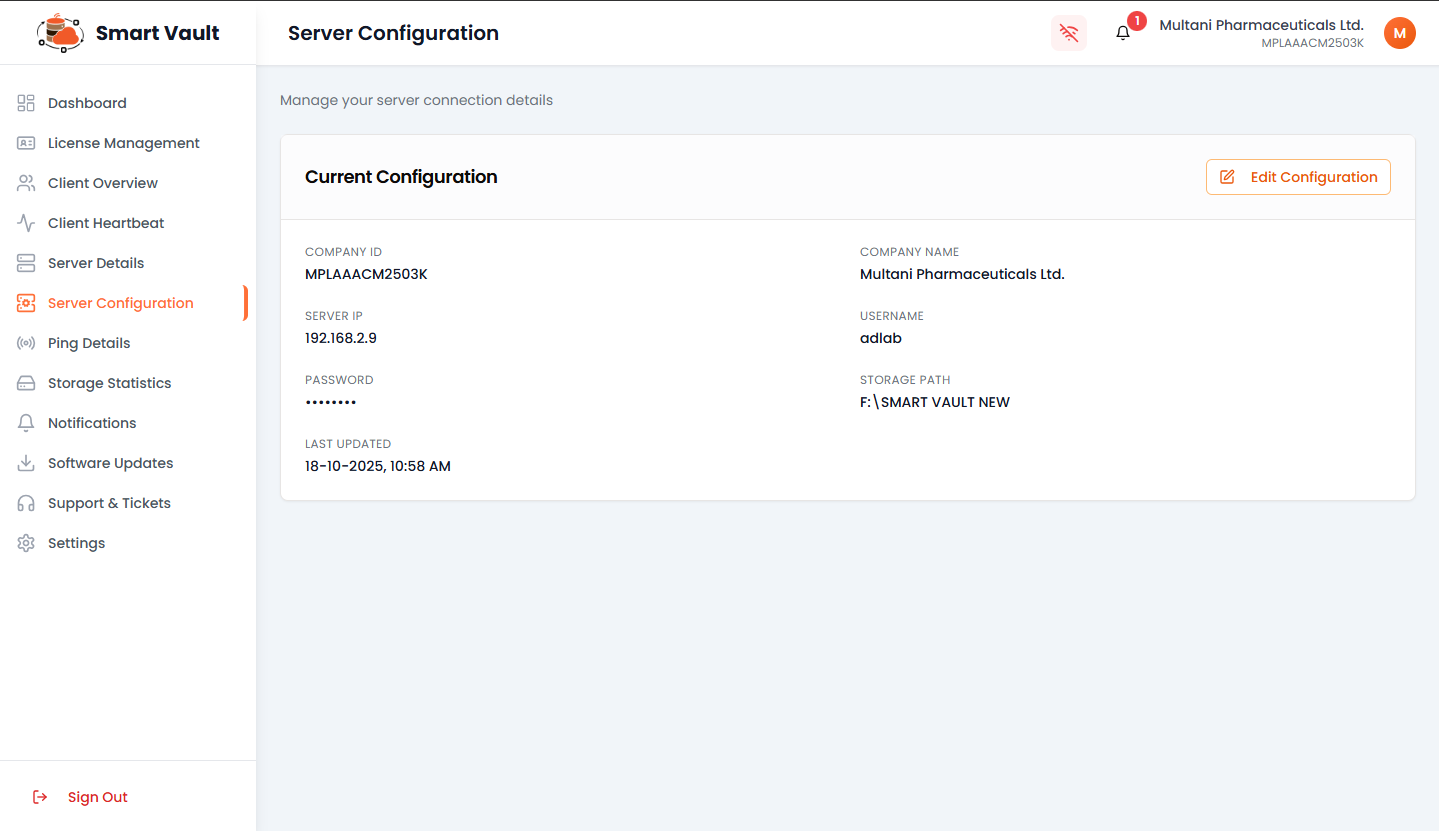
🔄 Backup Path Flow
- Step 1: Admin sets backup storage path in Server Configuration
- Step 2: Backup process is started from client application
- Step 3: All client backups are stored centrally at configured path
Organization identifier
Network address
Username and password
Central backup location
📡 Ping Details Module
Used to monitor network connectivity and communication status between server and clients.
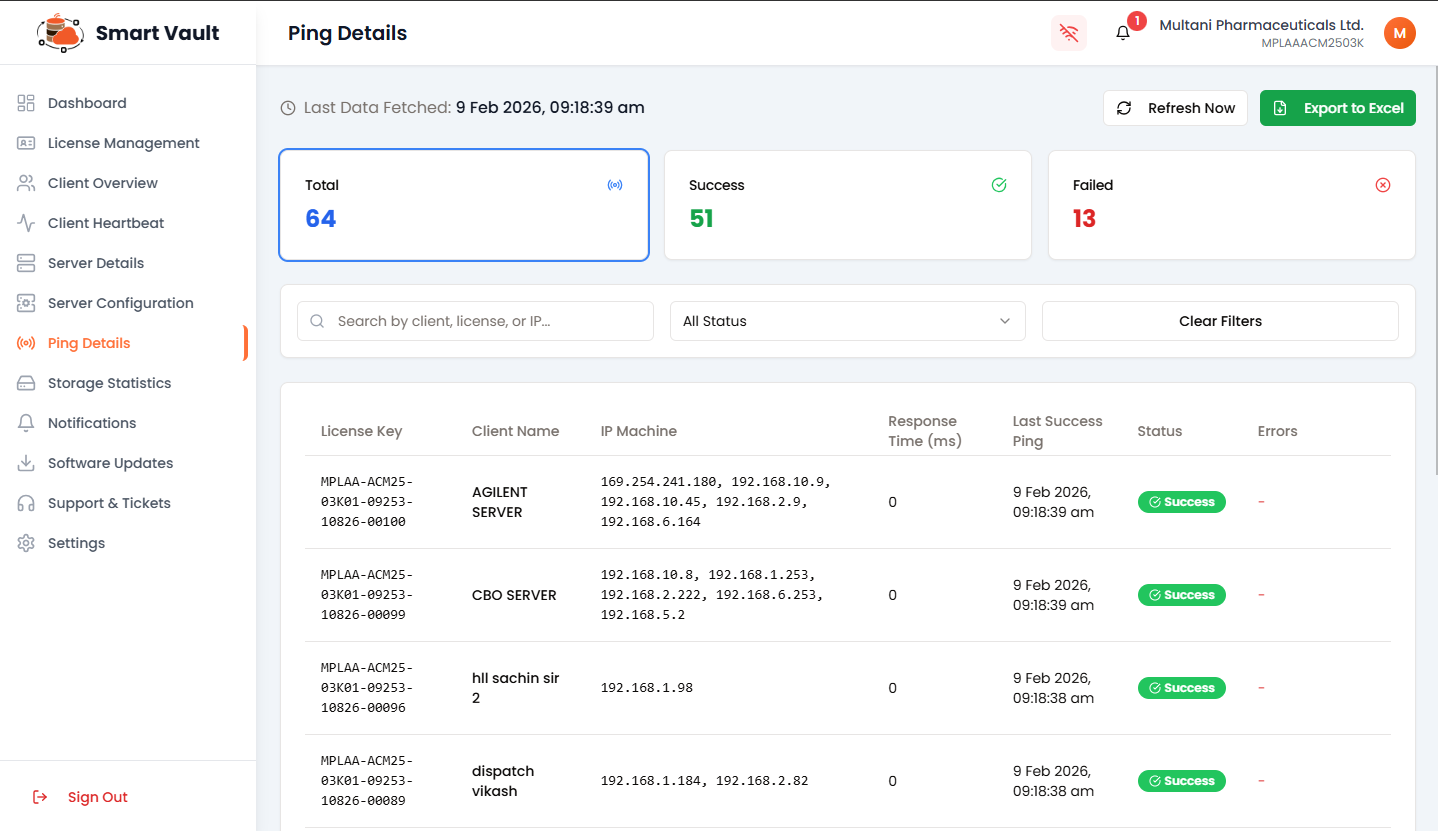
Monitored systems
Connected clients
Connection issues
💾 Storage Statistics Module
Provides a detailed overview of backup storage usage and file activity across all client systems.
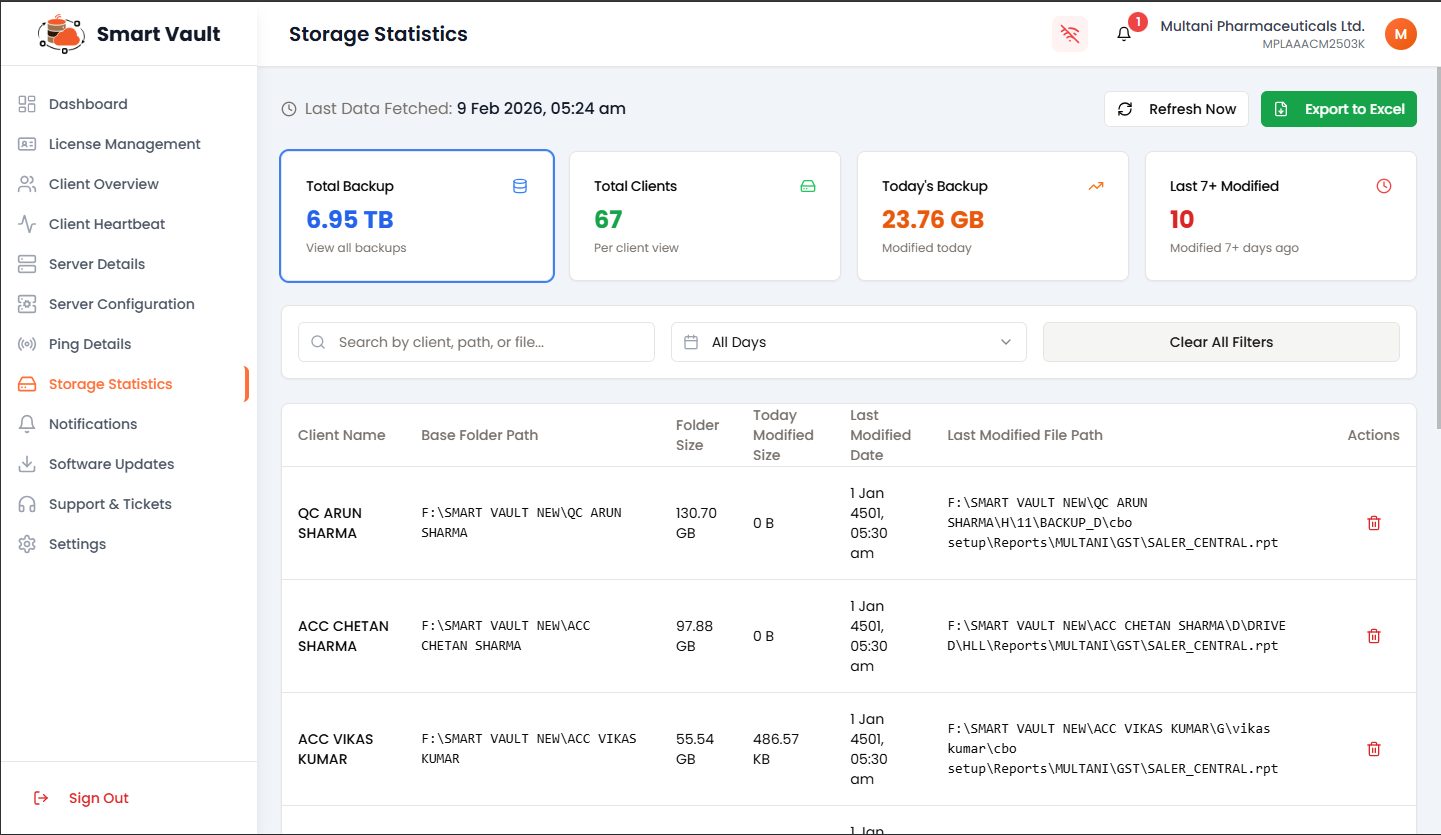
Overall storage used
Systems with backups
Data backed up today
Outdated backups
⚠️ Last 7+ Modified Alert
Shows clients whose backups have NOT been updated in the last 7 or more days. These systems require immediate attention to ensure data protection.
Monitoring Features
Client-wise storage location
Storage consumption per client
Recent backup timestamp
Most recent backed up file
🗑️ Delete Action
The delete action removes only the record/entry from the list, not the actual backup data from the server.
🔔 Notifications Module
Displays important messages and alerts shared by the Smart Vault team.
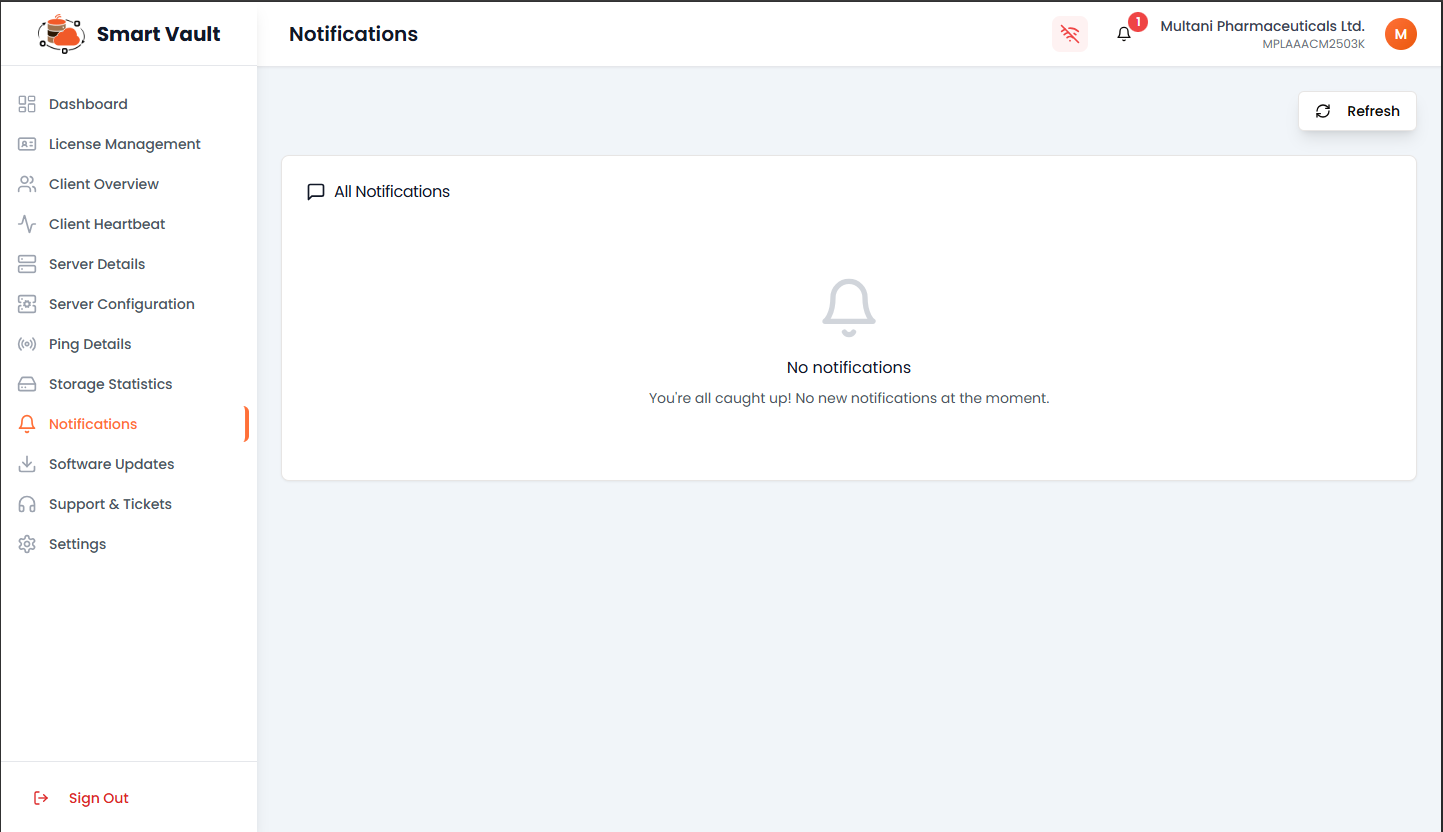
System Updates
New features and improvements
Maintenance
Scheduled downtime alerts
Announcements
Important system messages
🔄 Software Updates Module
Displays official software update information released by Smart Vault provider.
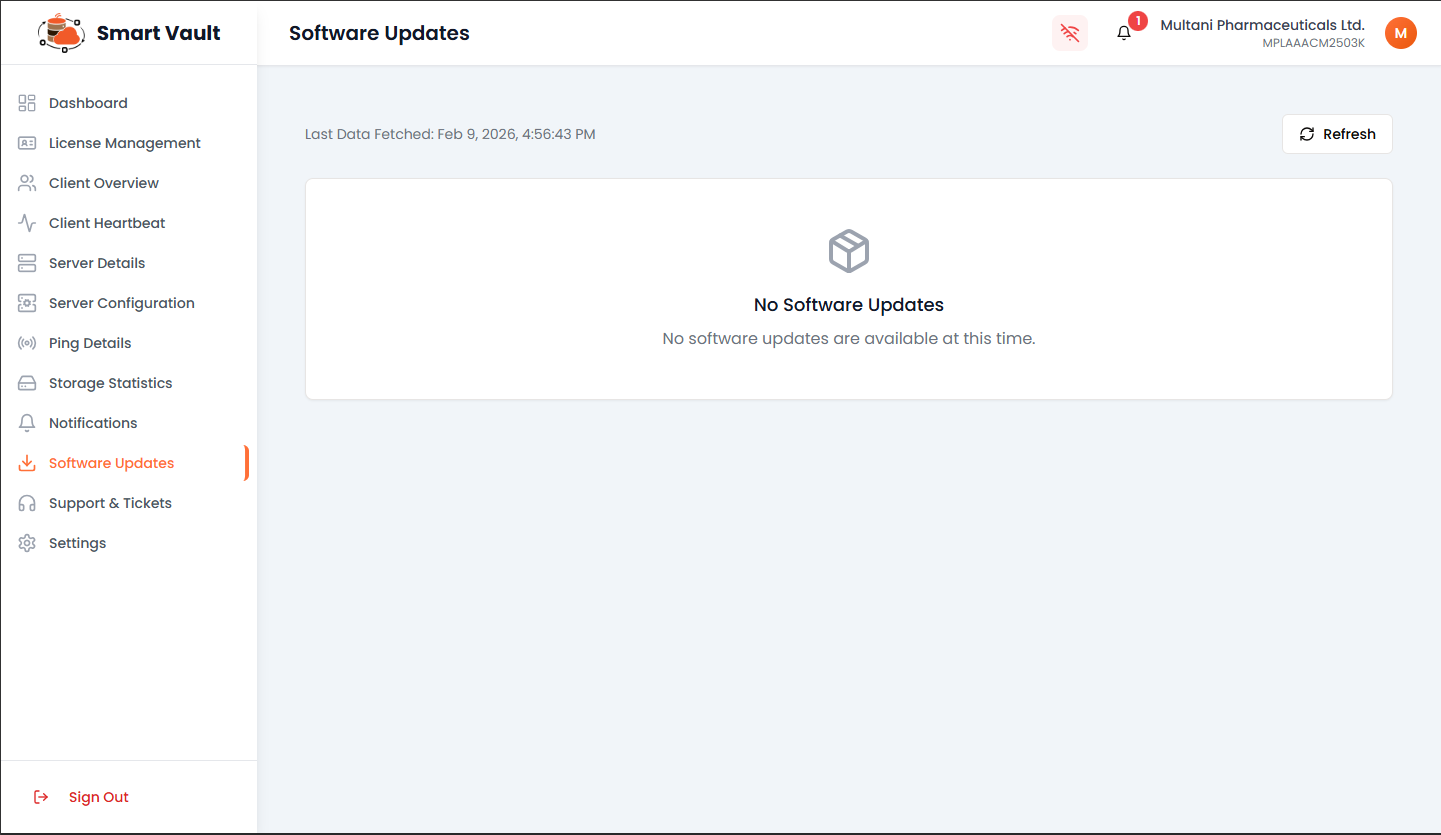
Stay Up-to-Date
Check regularly for new updates and improvements to enhance your Smart Vault experience.
🎫 Support & Tickets Module
Allows administrators to raise, track, and manage support requests with Smart Vault support team.
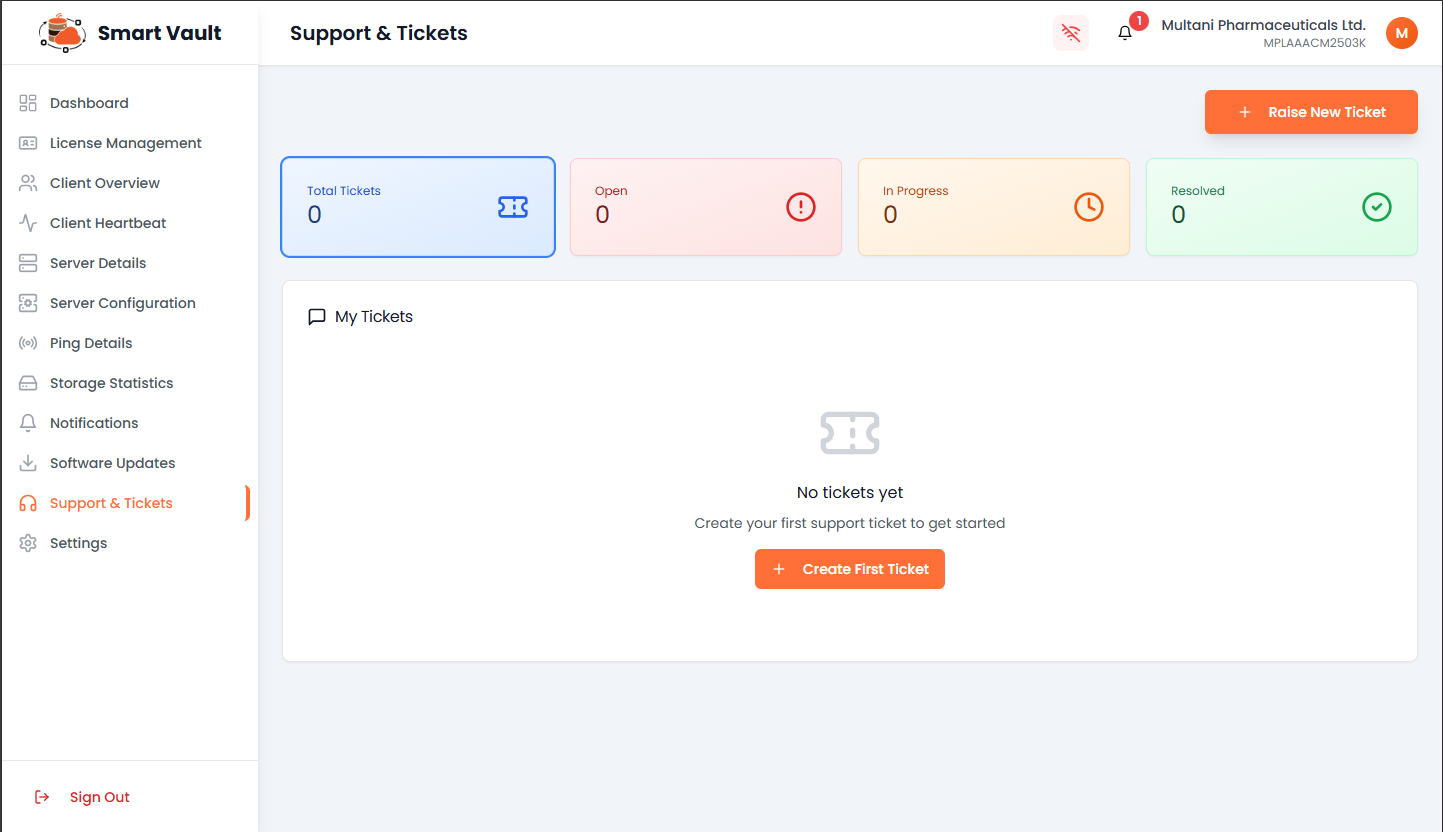
Newly created tickets
Currently being worked on
Successfully closed
💡 Pro Tip
Raise tickets for any technical issues, feature requests, or questions. The Smart Vault support team will respond promptly to assist you.
⚙️ Settings Module
Allows administrators to manage profile details, security settings, and application credentials.
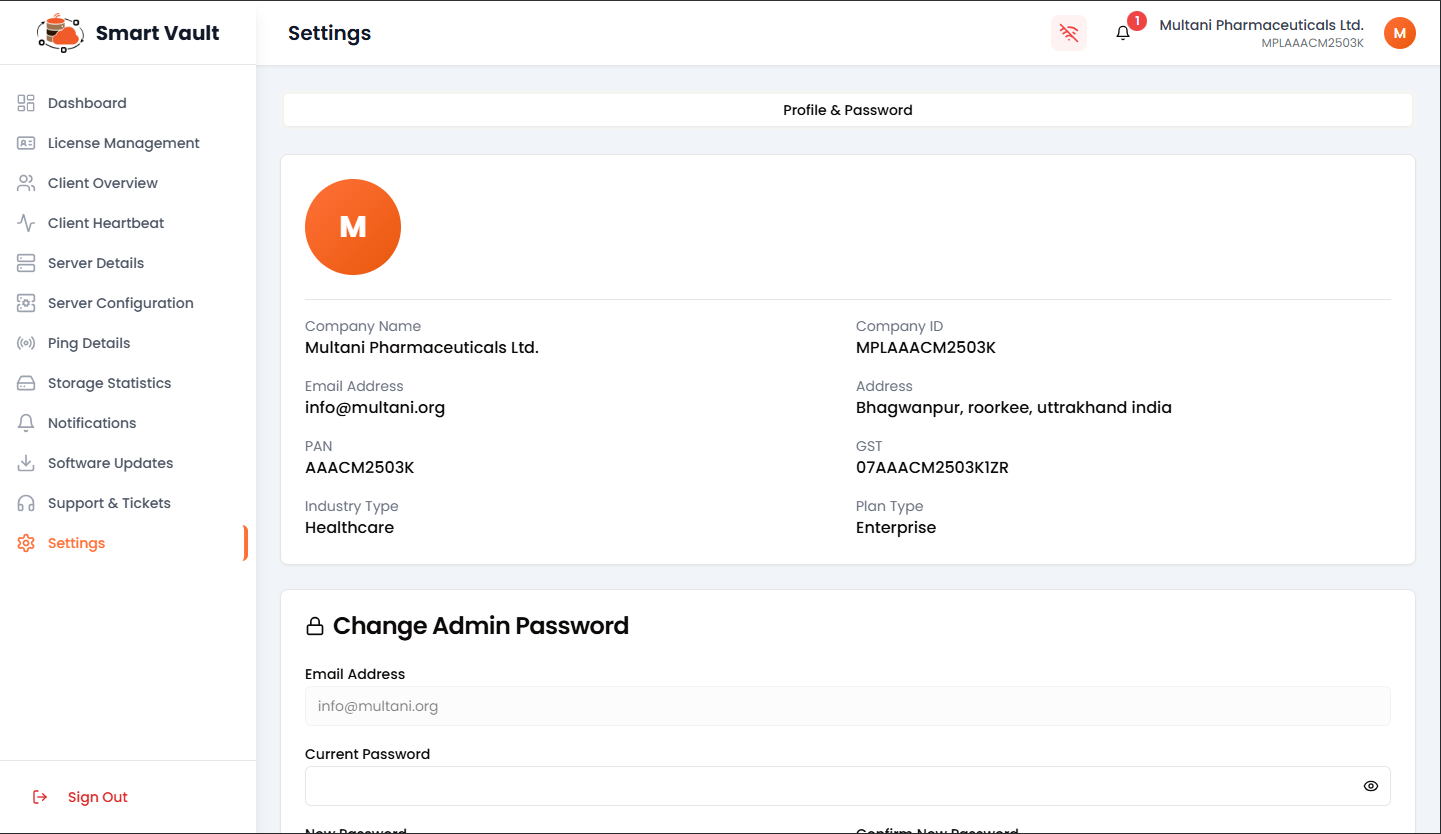
👤 Profile & Account Information
View company profile, email, ID, address, industry type, and plan details.
🔐 Change Admin Password
Securely update web panel login password with current password verification.
🔑 Change Desktop Application Credentials
KEY FEATURE - Most Powerful Feature
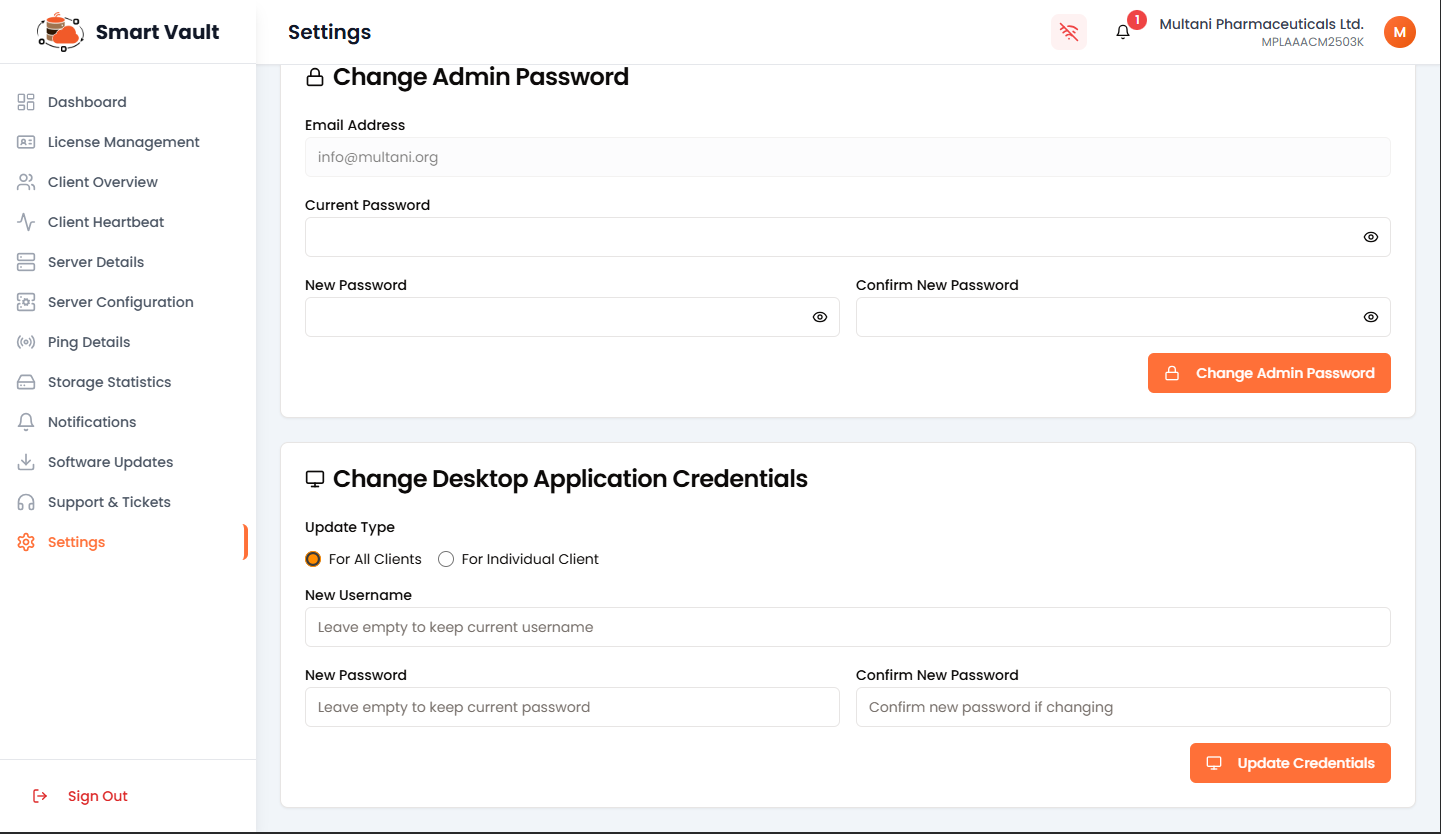
Update client application credentials from one central location
Change credentials for all clients at once or for specific clients only
Update username, password, or both - leaving fields empty keeps existing values
No manual changes needed on client machines - updates applied automatically